
How to Charge a Laptop from Ryobi, Milwaukee, Makita, or DeWalt Tool Batteries
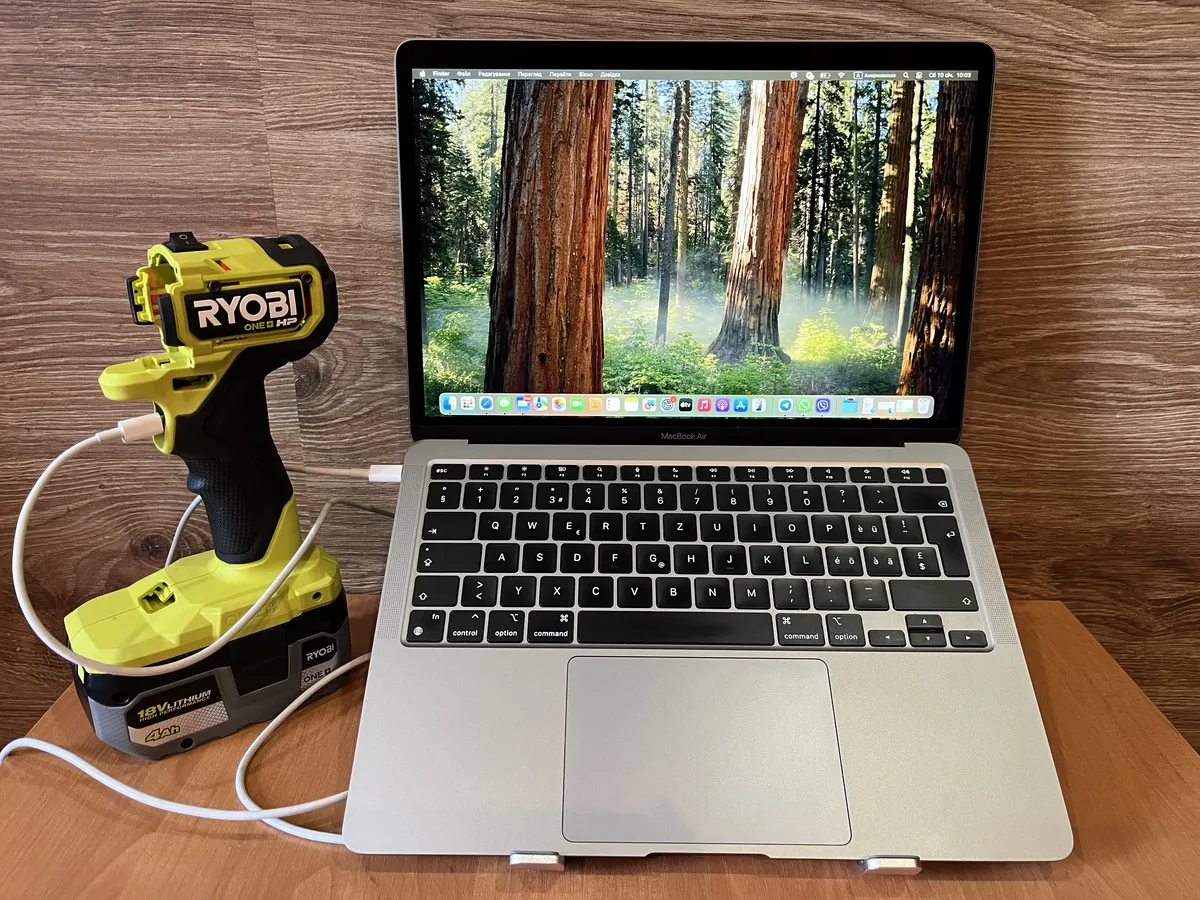
Got a drawer full of tool batteries from your cordless drill or saw? Here’s how to turn them into a laptop power bank for about $10-15 in parts — no soldering, just basic wiring.
This guide uses a Ryobi 18V battery as the example, but the same setup works with any 18-20V tool battery: Milwaukee, Makita, DeWalt, Bosch, Craftsman, Ridgid — you name it.
Whether you’re working on a remote job site, camping off-grid, or prepping for the next power outage, this DIY solution gives you a reliable way to keep your laptop running without hauling around an expensive portable power station.
Some links in this article are affiliate links. If you purchase through them, I earn a small commission at no extra cost to you. This helps support the site.
Why Tool Batteries? Because You Already Own Them
Here’s the thing: most laptops need 19-20V to charge. Your tool batteries run at 18V. That’s close enough that a simple voltage boost gets you there.
But it gets better:
- These cells are beasts — built to power drills, they laugh at laptop loads
- Protection built in — won’t let you kill the battery by over-discharging
- Serious capacity — a 4Ah battery packs 72Wh, enough to fully charge most ultrabook batteries
- You already paid for them — they’re sitting in your garage right now
Parts You’ll Need
| Component | Price | Notes |
|---|---|---|
| Tool battery adapter | $3-5 | Search battery adapter for your brand |
| DC-DC boost converter | $3-4 | Look for “XL6019 DC-DC step up 5A” |
| USB-C PD module (65W) | $4-7 | Must support PD3.0, 8-30V input |
| Wires, switch, fuse | $2-3 | Optional but recommended |
Total: $10-15 if you already have the battery.
How the System Works
Here’s the simple version: your tool battery feeds power to a DC-DC converter that boosts the voltage to 20V, which then goes to a USB-C PD module that negotiates the proper charging protocol with your laptop.
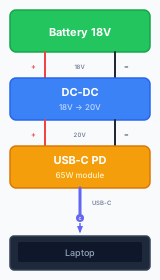
The USB-C PD module handles all the smart stuff — it talks to your laptop and delivers exactly the voltage and current it needs, just like a regular charger.
Step-by-Step Build
The whole thing takes less than an hour to put together.
Step 1: Get a Battery Adapter
You need an adapter that connects to your tool battery’s terminals. These run $3-5 on AliExpress — search “Ryobi battery adapter” (or your brand) to find the right one.
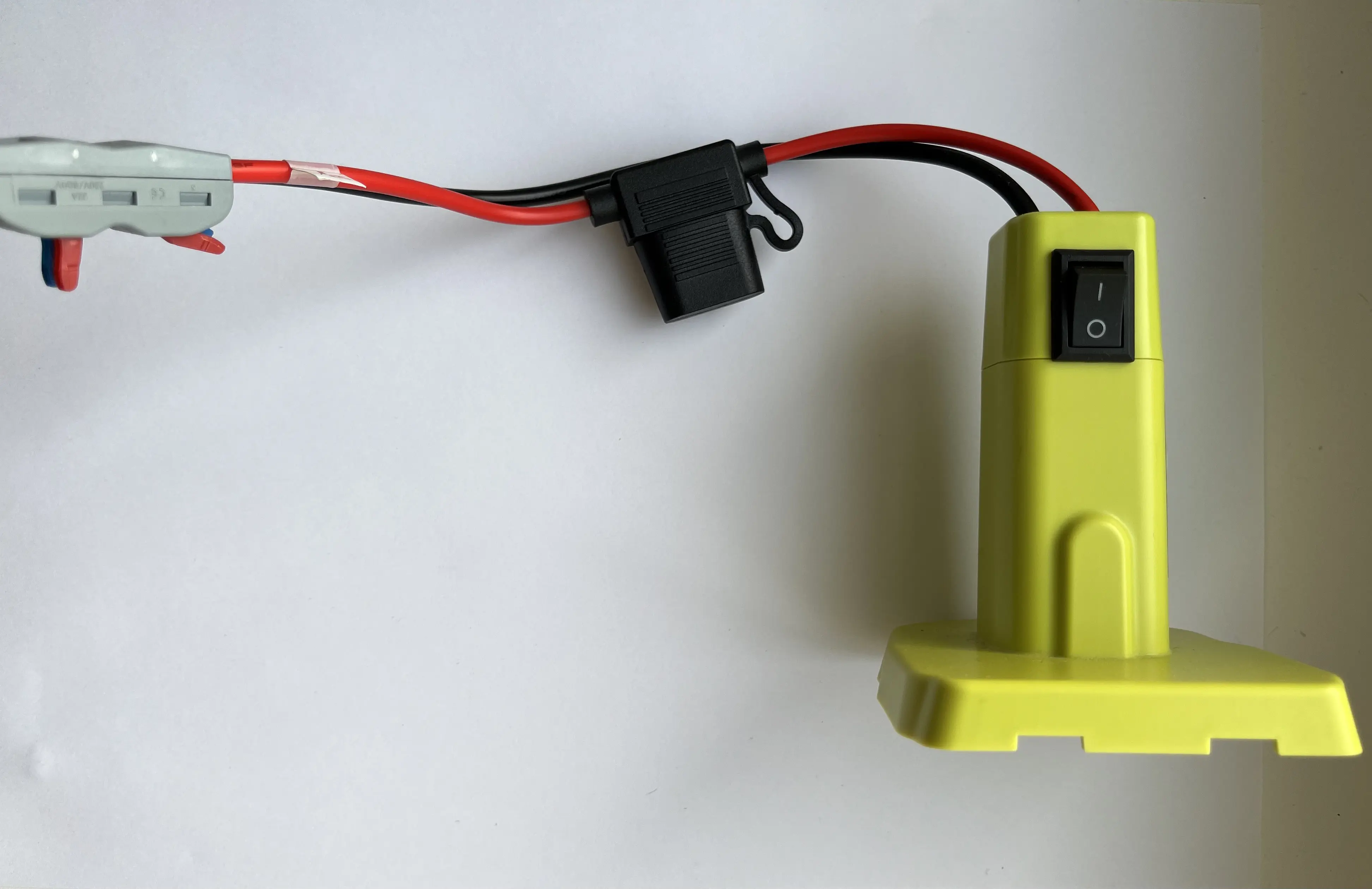
The adapter should have + and − wire leads for connecting to your circuit.
Pro tip: Old broken tools or chargers from Craigslist/eBay work great as donor parts.
Step 2: Wire Up the DC-DC Converter
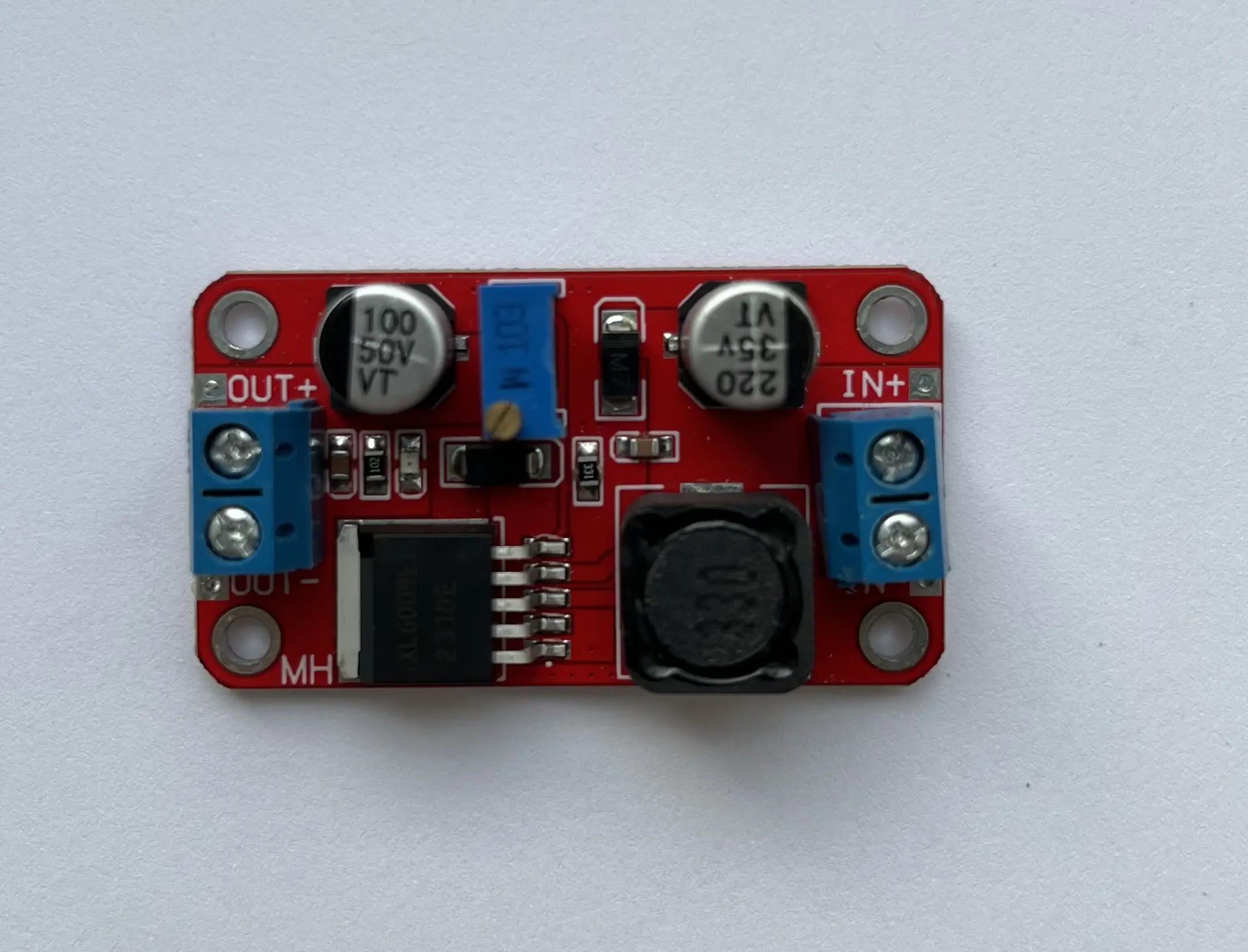
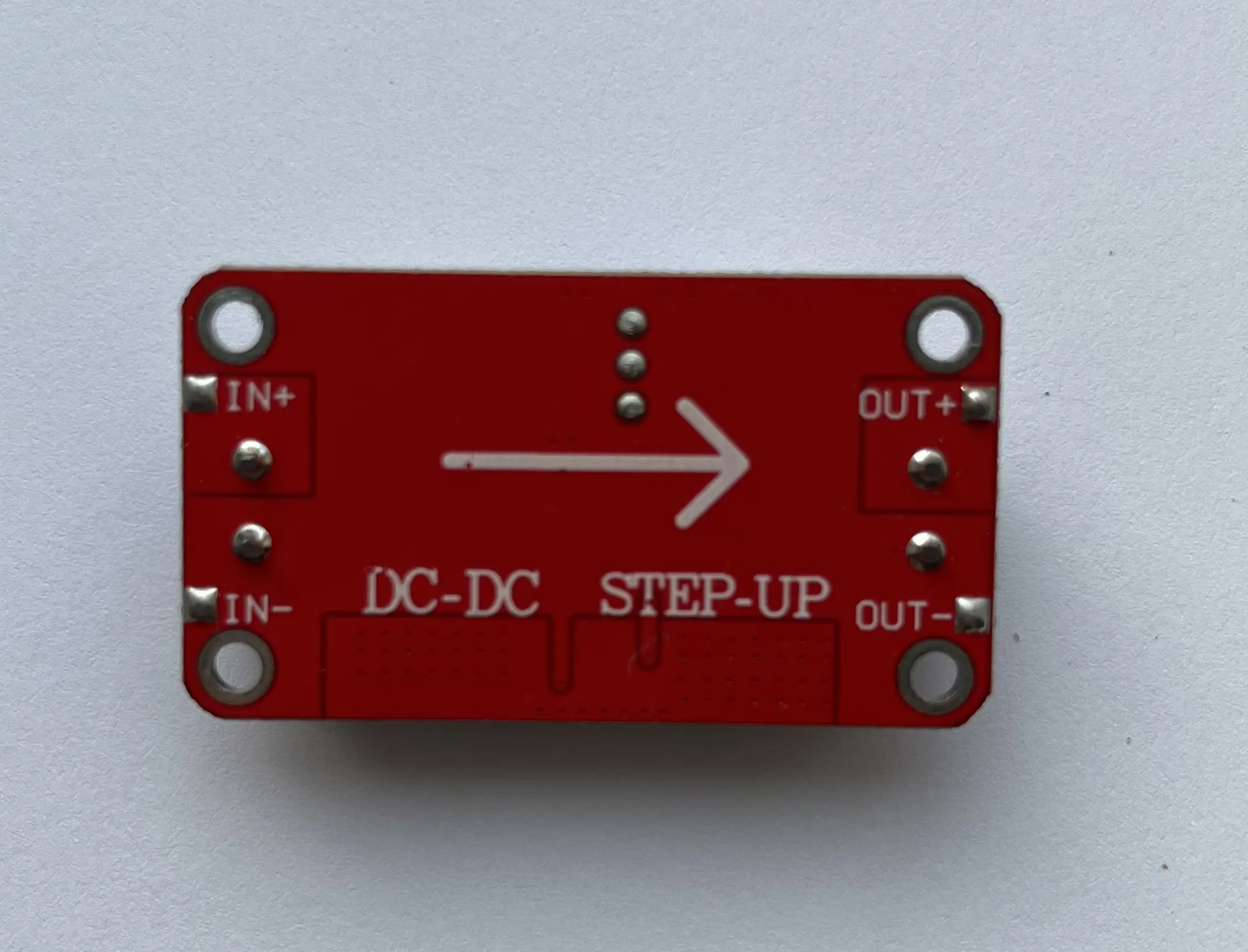
Search for “DC-DC step up 5A” or “XL6019 boost converter” on AliExpress — make sure it can handle at least 5A output.
- Connect battery adapter
+to converterIN+ - Connect battery adapter
−to converterIN−
Step 3: Set the Output Voltage
- Plug in your battery
- Use a multimeter to measure voltage between
OUT+andOUT− - Turn the adjustment screw (potentiometer) until you read 20-21V
- Double-check after adjusting — it can drift
Important: Get this right. Too low and your laptop won’t charge. Too high and you risk damaging the USB-C module.
Step 4: Connect the USB-C PD Module
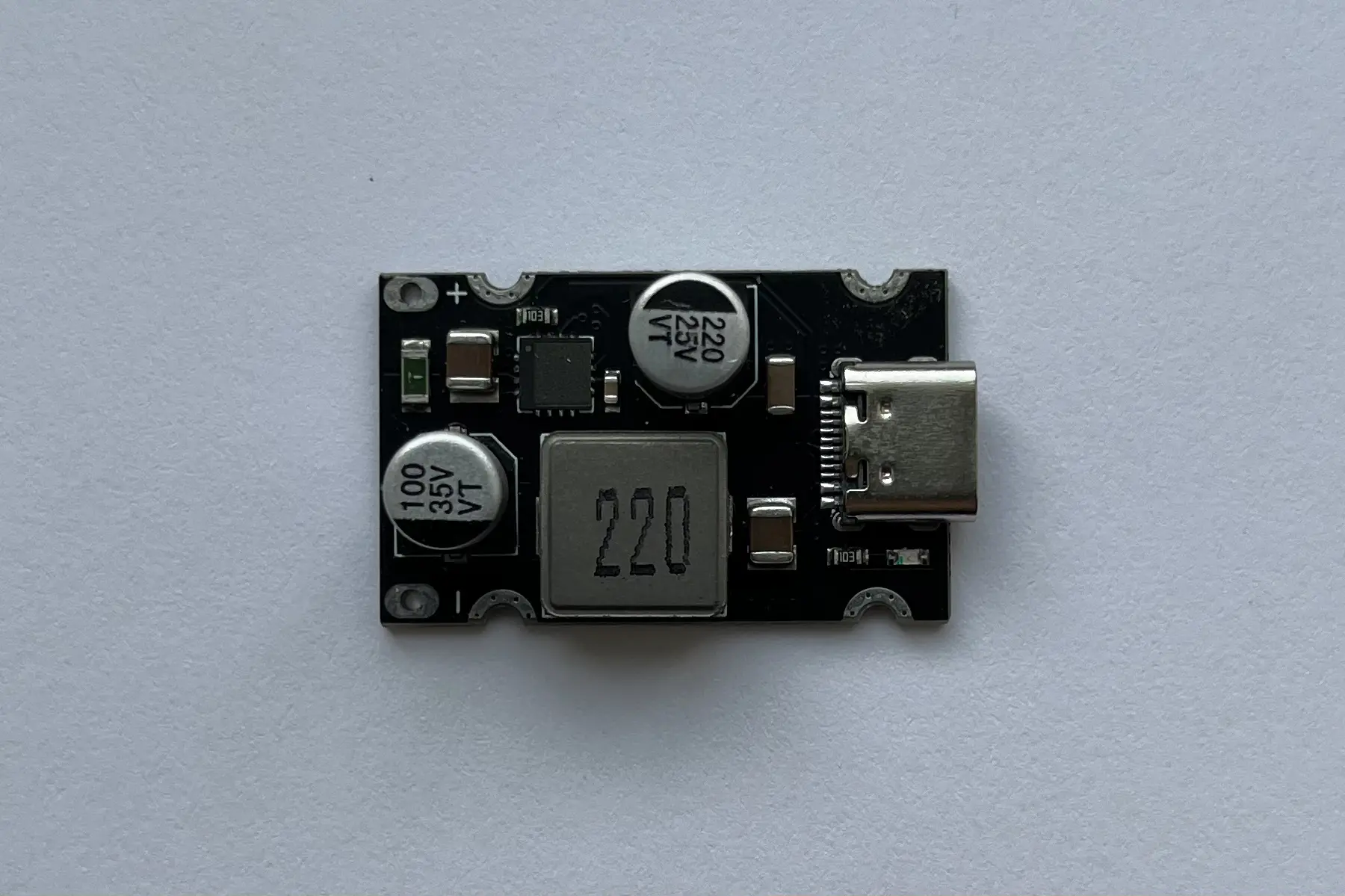
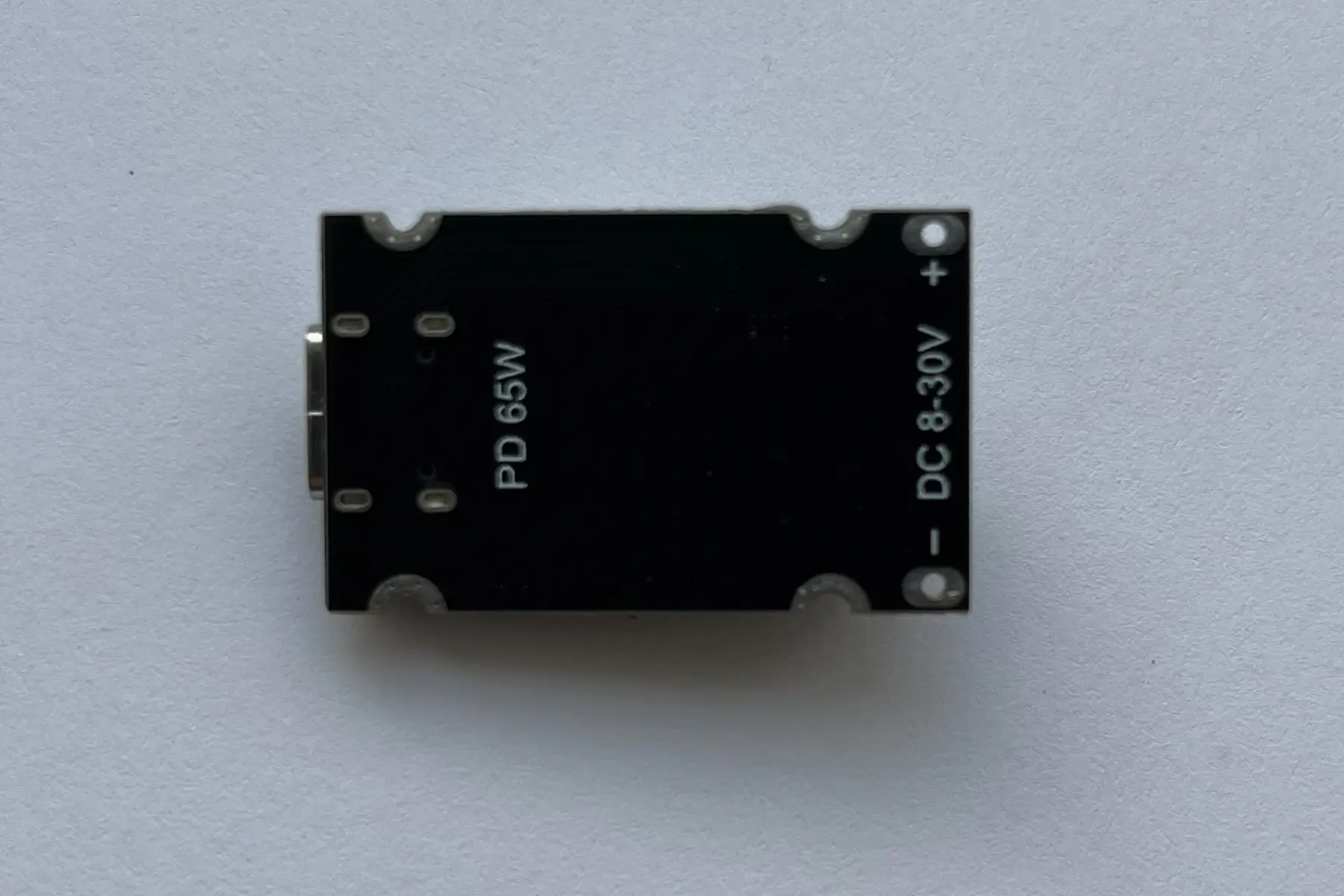
I use a 65W module with PD3.0 support — they’re around $5-7 on AliExpress.
- Connect converter
OUT+to USB-C module+ - Connect converter
OUT−to USB-C module−
The module automatically detects what’s plugged in and outputs the right voltage.
Step 5: Test It Out
- Connect your laptop with a USB-C cable
- Verify it recognizes the charger
- Check for stable charging without overheating (the DC-DC board gets warm — that’s normal)
Lesson learned: My first build had no power switch. The LED on the DC-DC board lit up the whole room, and I had to disconnect the battery every time. Add a switch.
Real-World Performance
Expect about 10-15% energy loss through the DC-DC conversion and USB-C PD module. That’s normal and unavoidable.
Battery Capacity Reference
| Battery | Total Energy | Usable* | Laptop Charges** |
|---|---|---|---|
| 2Ah | 36Wh | ~31Wh | ~0.6 |
| 4Ah | 72Wh | ~61Wh | ~1.2 |
| 5Ah | 90Wh | ~77Wh | ~1.5 |
| 6Ah | 108Wh | ~92Wh | ~1.8 |
| 9Ah | 162Wh | ~138Wh | ~2.8 |
* After ~15% conversion losses ** Based on typical ~50Wh laptop battery
My Ryobi 4Ah battery powers a 15” laptop for about 4 hours of regular work.
Power-saving trick: I limit my laptop’s charge to 55-60% using the built-in battery utility. This way, the system just maintains the charge level instead of trying to fill the battery — uses way less power.
Laptop Compatibility
This works with any laptop that supports USB-C Power Delivery (PD) charging. That includes most modern ultrabooks: MacBook, Dell XPS, Lenovo ThinkPad, HP EliteBook, Surface devices, and more.
Older laptops without USB-C charging? No problem. Grab a USB-C PD to barrel plug adapter:
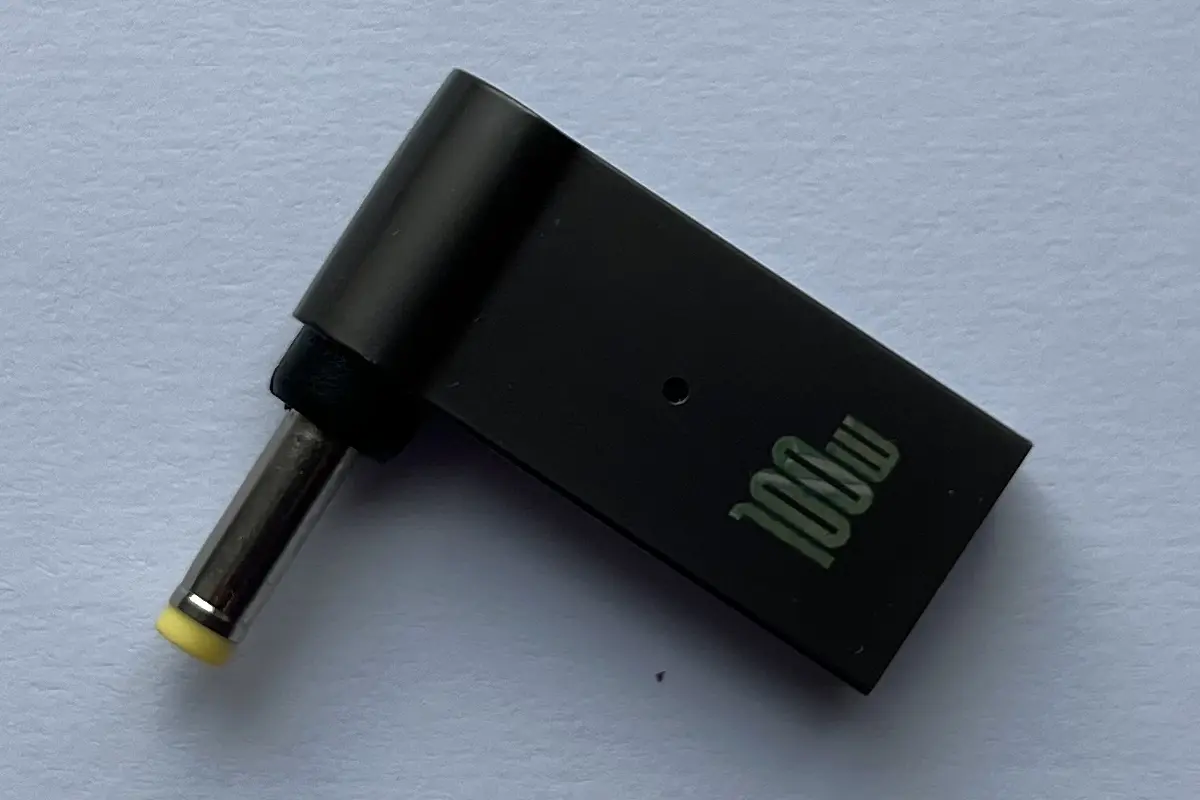
- Dell — USB-C to 7.4mm or 4.5mm adapter
- Lenovo — USB-C to slim tip or 7.9mm round adapter
- HP — USB-C to 7.4mm or 4.5mm adapter
- ASUS/Acer — USB-C to 5.5x2.5mm adapter
These adapters cost $3-8 and work great with older laptops.
Not recommended for: Gaming laptops that need 100W+ — you’ll need a beefier setup for those.
FAQ
Will a 12V tool battery work?
It can, but you’ll need a higher-current DC-DC converter (6-8A) and efficiency drops because of the larger voltage gap. 18V batteries are the sweet spot for this build.
What about 24V batteries?
Even better! Since 24V is already higher than the 20V target, you’ll use a buck (step-down) converter instead of boost. Search for “XL4015 DC-DC step down 5A” — the smaller voltage drop means excellent efficiency.
Can I charge my phone too?
Absolutely. The USB-C PD module supports multiple voltage profiles (5V, 9V, 12V, 20V). Your phone will automatically negotiate the voltage it needs.
Is there any risk of damaging my laptop?
Not if you set it up correctly. The USB-C PD module negotiates power requirements with your laptop before delivering any juice. The key is setting the DC-DC output to 20-21V accurately.
How much does the whole setup cost?
$10-15 for the components (DC-DC converter + USB-C PD module + adapter) if you already have the battery.
Will this work with MacBooks?
Yes! MacBook Air and MacBook Pro with USB-C ports (2018 and newer) work perfectly. The USB-C PD module automatically negotiates the right voltage. MacBook Air needs about 30W, 13” Pro needs 61W — both well within the 65W module’s capability.
What power does a MacBook need?
MacBook Air: 30W, MacBook Pro 13”: 61W, MacBook Pro 14”: 67-96W, MacBook Pro 16”: 140W. This 65W setup handles Air and Pro 13” easily. For 14” and 16” models, you’d need a 100W+ module.
If you’ve got Ryobi, Milwaukee, Makita, DeWalt, Bosch, Craftsman, or Ridgid batteries sitting around, give this build a try. It’s one of the most practical uses for those extra batteries you already own.
Also Useful
- Calculate your runtime with Battery Runtime Calculator
- How to Power a Router with a Power Bank
- How to Power Starlink Mini with Battery
Last updated: January 2026