
Can a small Victron inverter run a Mac mini? Measured
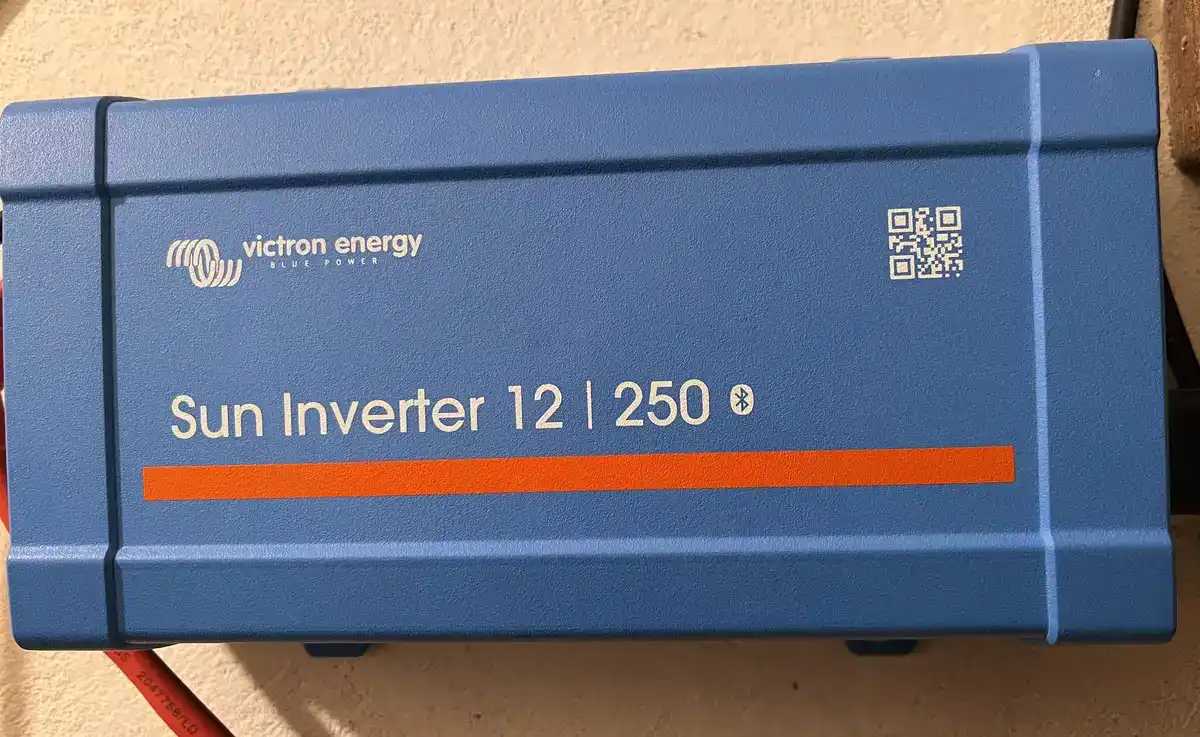
If you’re shopping for backup power, it’s easy to get distracted by flashy “power stations” and huge watt numbers. I went the boring route: a small, high-quality inverter + a simple LiFePO4 battery. It turned out to be a surprisingly comfortable way to keep a desk setup running.
Tested with Victron Energy Sun Inverter 12/250-15 (PWM) and a LiFePO4 12.8V 100Ah battery.
Why I built this setup
I wanted a quiet “plug-and-work” backup for my desk: no generator noise, no complicated DIY project that turns into a weekend hobby, and no mystery no-name inverter that behaves differently every day.
I also looked at popular compact power stations (like the EcoFlow River class). Locally, the price simply didn’t make sense compared to a modular combo - battery is a battery, inverter is an inverter, and if I ever want to upgrade capacity later, I don’t have to replace the whole box.
The goal was simple: power a Mac mini + monitor cleanly and predictably, and optionally run a TV for a while.
Hardware and wiring (what I actually used)
- Inverter: Victron Energy Sun Inverter 12/250-15 (PWM) (pure sine wave)
- Battery: LiFePO4 12.8V 100Ah
- Loads tested: Mac mini M4, 24-inch monitor, 43-inch TV, and a small Minisforum PC with the same monitor
A quick note on the “Sun Inverter” part: this model includes a PWM solar charge controller (15A). In my setup it’s basically a bonus feature right now - I plan to use it later when I have a good place for a panel. For this article, I’m treating it as a high-quality small inverter that just happens to have PWM onboard.
The VictronConnect settings that matter
This is where Victron feels less like “an inverter” and more like a neat little appliance.
Idle draw (no-load consumption). When the inverter is ON and nothing is plugged in, it still consumes power. On this model it’s around 4.2W in normal mode. That number sounds tiny, but it’s a real character in low-power setups like mine. With a desk load of 15-30W, the inverter’s idle draw is a noticeable slice of the pie.
ECO mode (sleep/wake behavior). This is the “stop wasting energy” option. If the load is low enough, the inverter can go into a low-consumption state (around 0.8W). ECO mode typically expects the load to stay below ~15 VA before it decides to sleep. If you have a meaningful load (like a desktop setup), the inverter will stay awake normally. If you’re trying to keep tiny loads alive (a phone charger, a low-power gadget), ECO mode is where you start playing with thresholds.
The app experience. On Mac, VictronConnect feels clean and pleasant - it’s the kind of app you don’t hate opening. On Android, I’m less impressed: it asks for Location permission (common for Bluetooth scanning), and it’s very much “Bluetooth-first” - no cable fallback.
My real loads (Mac mini, monitor, TV)
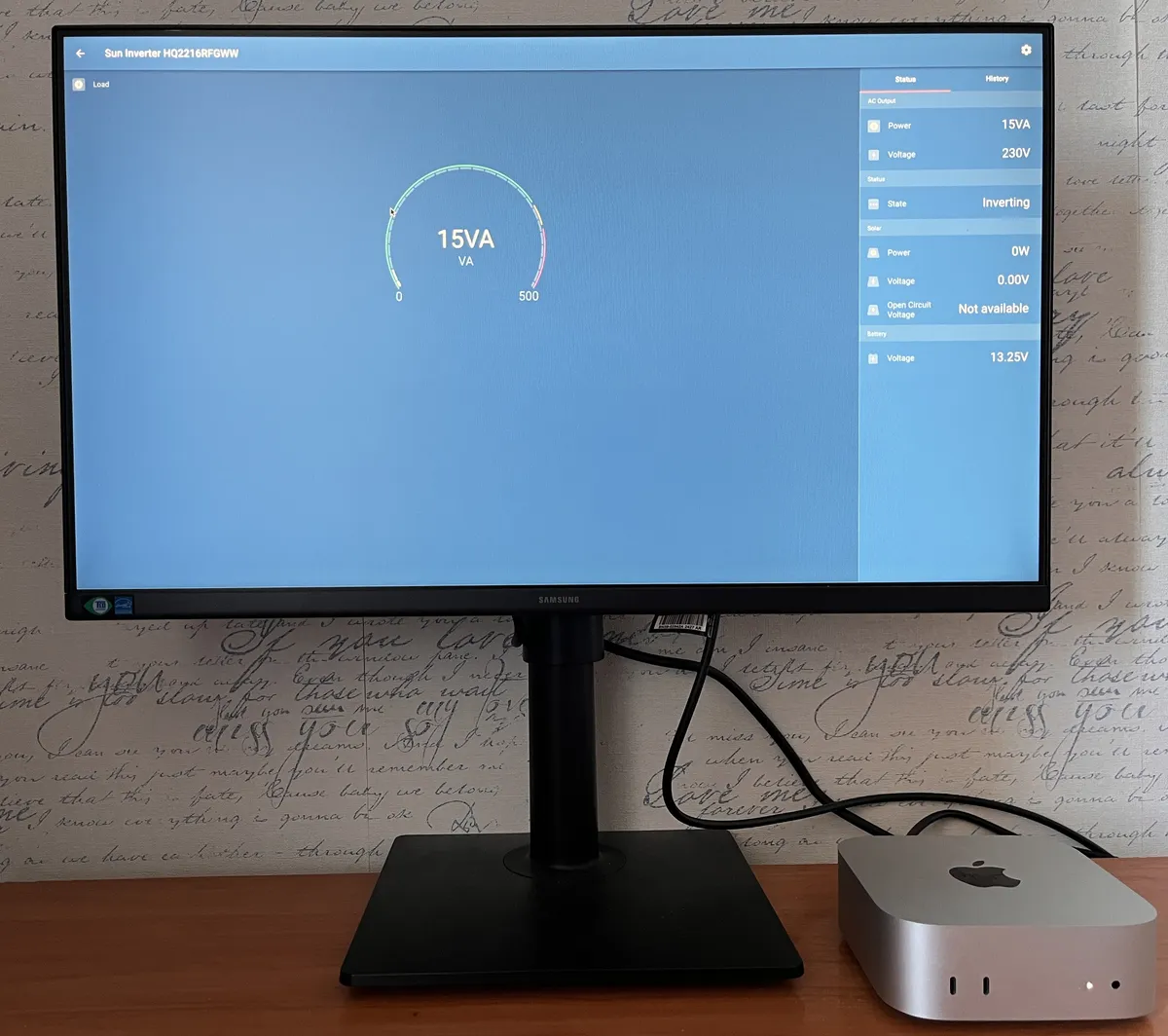
VictronConnect showing ~15 VA at idle - under active workload the reading climbs to 20-30 VA.
All readings below are what I see in VictronConnect, which reports VA. For modern electronics (like power supplies for computers and TVs), VA is often pretty close to watts in normal use - close enough to estimate runtime without turning this into a lab experiment.
| Scenario | VictronConnect reading (VA) | Notes |
|---|---|---|
| Mac mini M4 + 24” monitor | 15-30 VA | Idle to active desk use |
| Minisforum + 24” monitor | 40-60 VA | Higher draw than the Mac setup |
| 43” TV | ~40 VA | Typical viewing use |
A nice side effect of these numbers: this is exactly the kind of load where a small inverter makes sense. You’re not trying to run heaters, kettles, or power tools - you’re running a clean, low-power electronics setup.
Runtime estimate on a 100Ah LiFePO4
Let’s turn those load readings into time.
A 12.8V 100Ah LiFePO4 battery stores about 1,280 Wh. I count roughly 90% usable in normal life, so that’s ~1,150 Wh you can actually lean on comfortably. Add the inverter overhead: ~4.2W idle draw and ~87% practical efficiency for this class of inverter. The “battery drain” formula works out to: (Load / 0.87) + 4.2W.
| Load scenario | Approx. battery drain | Rough runtime (LiFePO4 100Ah) |
|---|---|---|
| 15 VA (Mac + monitor idle) | ~21 W | ~54 hours |
| 20 VA (Mac + monitor light use) | ~27 W | ~42 hours |
| 30 VA (Mac + monitor on the high end) | ~39 W | ~30 hours |
| 40 VA (TV typical) | ~50 W | ~23 hours |
| 60 VA (Minisforum + monitor high end) | ~73 W | ~16 hours |
These numbers are “back-of-the-envelope accurate” - the kind you can actually use when deciding whether the setup is worth it.
If you want to run the same math with your own battery size and loads, check my 100Ah runtime guide or plug your numbers below.
1. What are you powering?
2. Power Source
What I like / what I don’t
What I like
- It feels boring - in a good way. It just runs. No weird noise, no drama.
- Low idle draw for a real inverter. For small continuous loads, this matters a lot.
- Monitoring is genuinely useful. Seeing load trends changes how you use the setup (you quickly learn what’s “cheap” to run and what’s not).
- The size is perfect for “desk power.” 12/250 is not pretending to be a whole-house system. It’s a small tool that does a small job well.
What I don’t
- Android app experience. Location permission for Bluetooth scanning is annoying, and the overall flow feels less polished than on Mac.
- ECO mode can be a little “opinionated.” It’s great when you understand the threshold behavior, but it’s not magic - it’s a mode you learn.
FAQ
Can a Victron 12/250 run a Mac mini and a monitor?
Yes - easily, in my case. My Mac mini M4 + 24-inch monitor sits around 15-30 VA depending on workload. That’s a comfortable load for this inverter.
Does it drain the battery when nothing is plugged in?
Yes. In normal mode, the inverter has an idle draw of about 4.2W. ECO mode can drop this dramatically (around 0.8W) when the inverter goes to sleep.
Is ECO mode useful for a desk setup like mine?
It depends on your typical load. ECO mode is most useful when your load often drops below roughly ~15 VA (that’s where the inverter may decide to sleep). If your desk setup is consistently above that, you’ll mostly live in normal mode.
How long will a 12.8V 100Ah LiFePO4 run a Mac mini + monitor?
Using my measured 15-30 VA range and including inverter losses + idle draw, you’re looking at roughly ~30-54 hours of runtime. In real life, that’s usually “multiple workdays” territory.
Can it run a 43-inch TV?
In my setup, yes. My 43-inch TV sits around ~40 VA, which translates to roughly ~23 hours on a 100Ah LiFePO4 when you include inverter overhead.
Why did you choose this instead of a power station?
Price and modularity. A power station is convenient, but locally it was overpriced compared to a simple inverter + LiFePO4 battery. With the modular route, I can upgrade the battery later without replacing the inverter (and vice versa).
If you’re building something similar, the single most useful thing you can do is measure your actual loads (even rough ranges like mine). Once you know your “real watts,” everything else becomes easy - especially the runtime math.